
Easy Drag & Drop User Interface
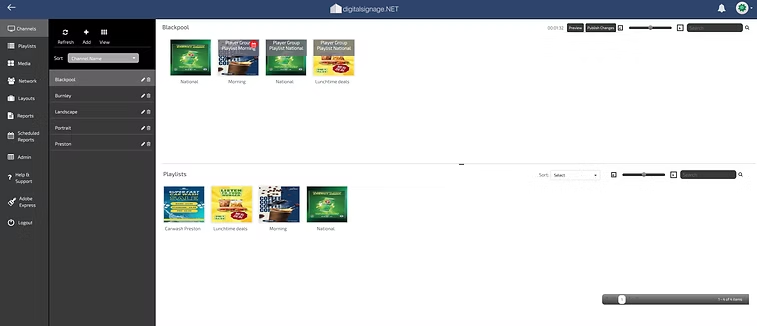
Your digital signage in three simple stages:
Add, Schedule and Publish.
Drag and drop your media straight into your Playlist and get your content playing in seconds.
Add, Schedule and Publish.
Drag and drop your media straight into your Playlist and get your content playing in seconds.
Upload Dynamic Media Content
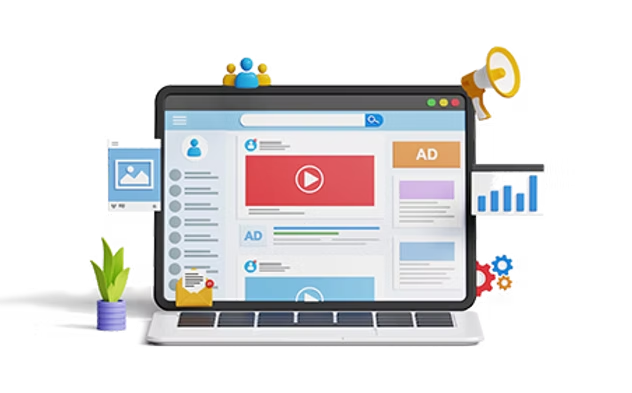
Play images and videos together with , current news & weather feeds to keep your digital sign fresh and interesting throughout the day. Build your content library, set your playlists and schedule.
Page Layouts & Widgets
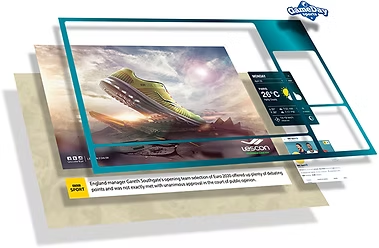
Create a single page and add dynamic zones with our various widgets (time, weather, news, social). Our Core Edition also allows the creation of Collections of pages that can be used on a touch screen, adding a multi touch experience for your users.

Designed for the Cloud
Operating multiple virtualised servers in Amazon web data centres, speed and reliability are proven. No need for expensive servers and trained IT staff

Reporting
Generate reports that can be exported and incorporated into your Analytic software providing proof of playback performance that can be presented to your advertising clients or your other colleagues.
Get started in 3 simple steps...
Hardware
Whether it's an All-in-one digital signage screen, Android or Windows media box attached to your existing screen digitalsignage.NET will work for you.
Software
Simply sign into our cms portal and download the colaborating app to your hardware's operating system and install.
Pairing
Once the app is installed on to your device you will see a unique HEX code. Enter this on your cms portal. You can now start uploading and playing content on you screens.
Try digitalsignage.NET for FREE!
No credit card need.
Simply create an account and see for yourself how intuitive our CMS interface truly is.
Simply create an account and see for yourself how intuitive our CMS interface truly is.